Project case study
Mac AI Productivity Hub
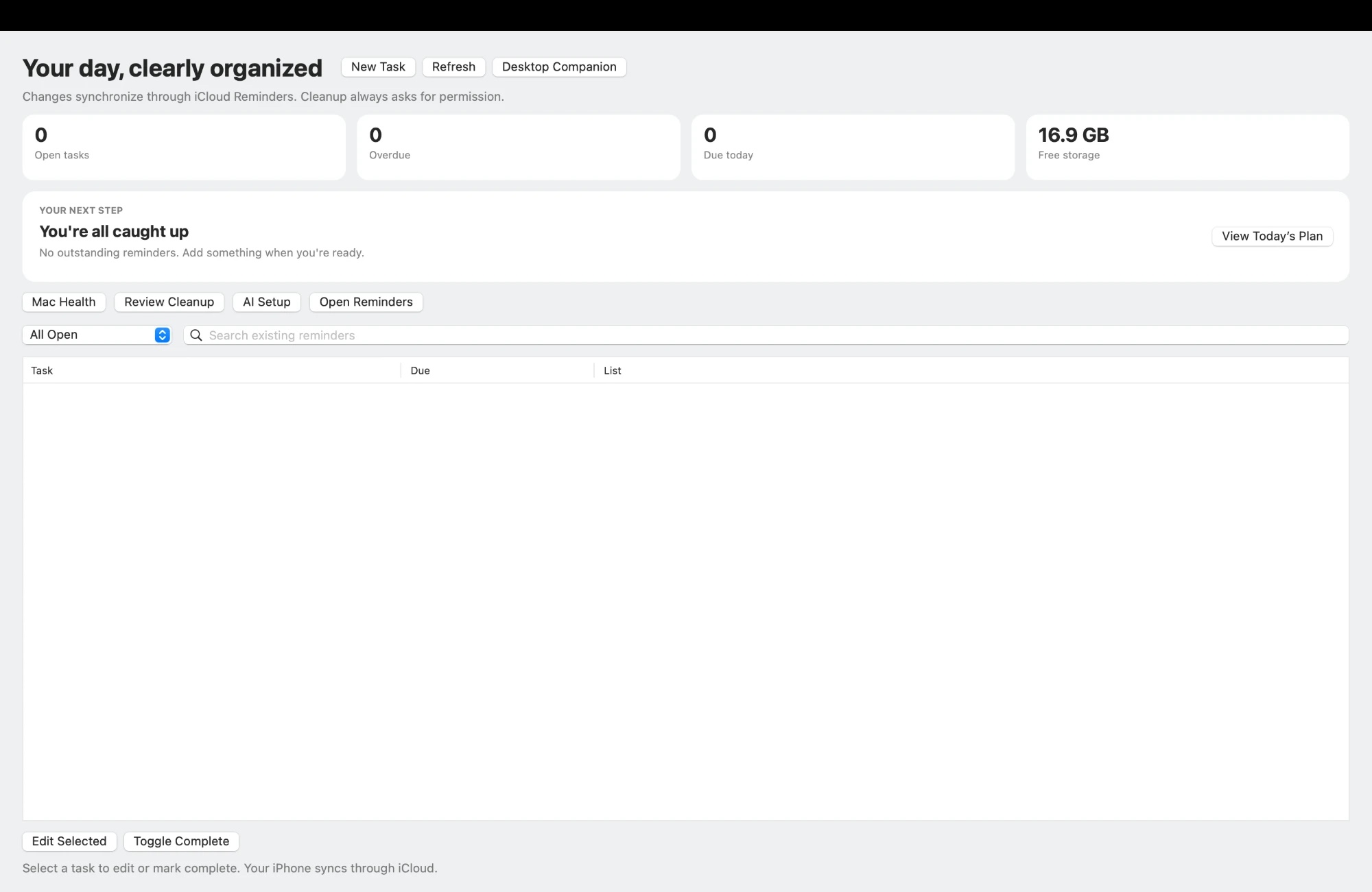
A native Mac app that turns Apple Reminders into a calm daily dashboard, with an optional on-device Apple Intelligence plan, a floating desktop companion and a storage cleanup that always asks first. Everything runs on the Mac and syncs to iPhone through iCloud.
- My role
- Solo developer: design, native app, CLI tools, installer and tests.
- Built with
- SwiftAppKitEventKitPythonAppleScriptlaunchdApple Shortcuts
The problem
Apple Reminders syncs everywhere, but on the Mac it's easy to lose track of what's overdue, and planning notes, reminders and disk cleanup all live in different places. Most productivity apps fix this by adding another account and another cloud database, and cleanup tools tend to delete first and explain later.
What I built
- 01A dashboard with cards for open tasks, overdue tasks, tasks due today and free storage, plus a "Your next step" card for the most urgent task.
- 02Today's Plan, grouped into do first, due today, later and no deadline, with an optional version written by an on-device Apple Intelligence Shortcut.
- 03A floating Desktop Companion panel with counts, the next task and quick actions.
- 04Live open and overdue counts on the menu-bar icon.
- 05Add, edit, complete, search and snooze reminders with Apple's native date picker, plus duplicate protection.
- 06macaihub:// deep links that open the app straight to a view, such as macaihub://overdue.
- 07Review Cleanup: old screenshots and installers listed unchecked, moved to the Trash only after a second confirmation.
- 08A plain-language Mac Health report on free space, memory, swap and the heaviest apps.
- 09Two-way sync between an Apple Notes planning note and Apple Reminders.
- 10A one-command installer that builds and signs the app with only Apple's Command Line Tools.
How it works
- 1
Capture
Tasks come from the app, an Apple Notes planning note or the iPhone, all as real Apple Reminders.
- 2
Focus
The dashboard, menu bar and Desktop Companion show what's overdue and what's next.
- 3
Plan
Today's Plan groups the day, optionally written by an on-device AI Shortcut after the user agrees.
- 4
Act
Edit, complete or snooze a task, and the change reaches the iPhone through iCloud.
- 5
Maintain
Mac Health and Review Cleanup keep the Mac healthy, with every removal approved by the user.
My approach
I built the interface in AppKit instead of SwiftUI so it compiles with just Apple's Command Line Tools, with no full Xcode install needed. Reminders are read and written only through EventKit, using each reminder's own ID, so the Mac and iPhone always share the same data. A small Python service layer gives the app JSON data for health checks, cleanup and AI status. The AI plan runs through a Shortcut the user controls, and the app asks before sharing any task titles. Cleanup only moves files to the Trash after two confirmations and refuses files that changed since the scan. Scheduled jobs only read data.
Results & lessons
It's my daily task manager across Mac and iPhone, with 56 unit tests covering task parsing, note-to-reminder sync, cleanup safety and the app's service layer. Version 0.5.0 combined two separately developed versions into one with a three-way merge. Moving from SwiftUI to AppKit taught me to design around the tools people actually have installed. Building the sync showed me that cross-device duplicate protection can reduce duplicates but never fully guarantee against them, so the docs say so plainly.