Project case study
Toolbelt
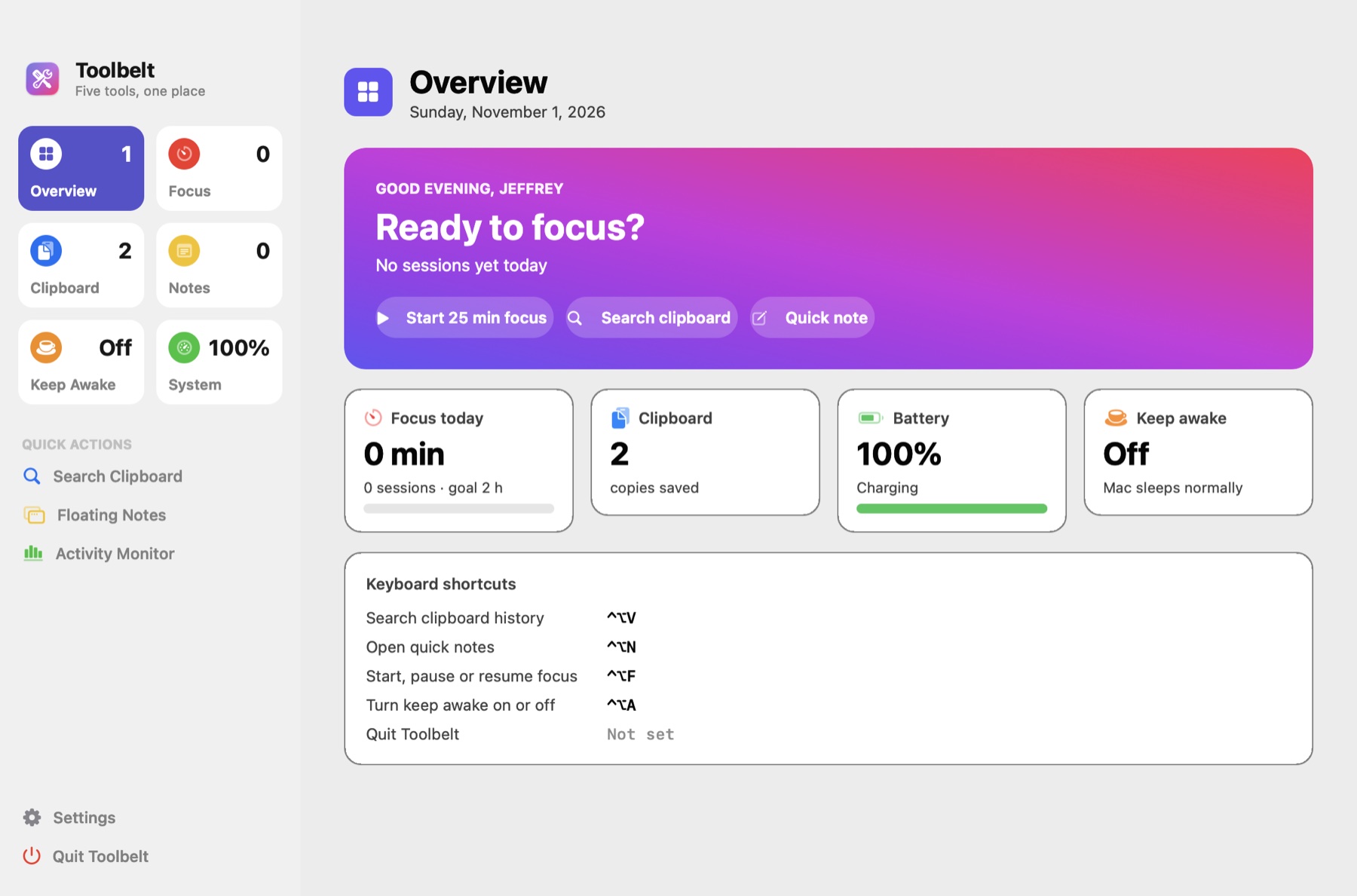
A native Mac app that replaces five separate utilities with one: a focus timer, clipboard history, quick notes, keep awake and a live system monitor. It has a polished dashboard window, a menu-bar mode and global shortcuts you can change, and nothing leaves the Mac. I designed, built and shipped it in a single day, from blank folder to signed, installable app with tests and a public repo.
- My role
- Solo developer: product design, native app, app icon, installer and tests.
- Built with
- SwiftAppKitCarbon hotkeysIOKitUserNotificationsSwift Testinglaunchd
The problem
Most Macs end up with a crowded menu bar: one app for clipboard history, another for a Pomodoro timer, another to stop the Mac sleeping, another for battery health. Each has its own settings, its own shortcuts that clash with each other, and often its own subscription. I wanted one fast, native place for all of them that feels like it ships with macOS.
What I built
- 01A dashboard window with a translucent sidebar and live tiles for every tool, plus ⌘1 to ⌘7 to jump between pages.
- 02A focus timer with a countdown ring, pause and resume, notifications, a daily log and a 7-day chart.
- 03Clipboard history with search, full preview, one-key paste into the app you were using, and password managers' secrets skipped.
- 04Quick notes in the main window and a floating window, kept in sync and saved as you type.
- 05Keep awake for 1 hour, 2 hours or until you turn it off, with the menu bar icon showing when it's on.
- 06A live system monitor: battery level, health and charge cycles, memory, CPU load, heat level and free disk space.
- 07A shortcut recorder for every global hotkey, with clash detection and a reset to defaults.
- 08A menu-bar mode with every tool one click away, and launch at login that starts quietly in the background.
- 09An app icon drawn in Swift and a one-command installer that builds and signs the app with only the Command Line Tools.
- 1026 unit tests on a UI-free core, written with Swift Testing.
How it works
- 1
Open
Launch from the Dock, the menu bar icon or a keyboard shortcut.
- 2
Focus
Start a session; the countdown ring, menu bar and Dashboard all track it, and a notification ends it.
- 3
Copy
Everything you copy is saved, except passwords. Press ⌃⌥V anywhere to search and paste it back.
- 4
Note
Press ⌃⌥N for a floating notepad that saves as you type and matches the main window.
- 5
Check
The System page shows battery health, memory, CPU, heat and disk with live gauges.
My approach
I split the app into a UI-free core (clipboard history, focus timer and log, shortcuts, storage) covered by unit tests, and an AppKit layer on top, so the logic is tested and the interface stays thin. It builds with only Apple's Command Line Tools, no Xcode, like my Mac AI Hub. Global shortcuts use Carbon hotkeys, so they work in every app without asking for extra permissions, and a shortcut recorder detects clashes and moves shortcuts cleanly between actions. Privacy shaped the design: copies that password managers mark as secret are never saved, auto-paste is opt-in, and all data lives in plain files on the Mac. The floating notes window and the main window share one text store, so they stay in sync without any syncing code.
Results & lessons
Built and shipped in one day as a complete product: a dashboard with a page for every tool, a menu-bar mode, a custom app icon drawn in code, a one-command installer and 26 unit tests. I iterated on the layout by rendering every page to images and fixing what I saw, the same loop I use on client work. Apple doesn't expose the CPU temperature on Apple silicon, so instead of faking a number I used the system's own heat level and said so in the app.